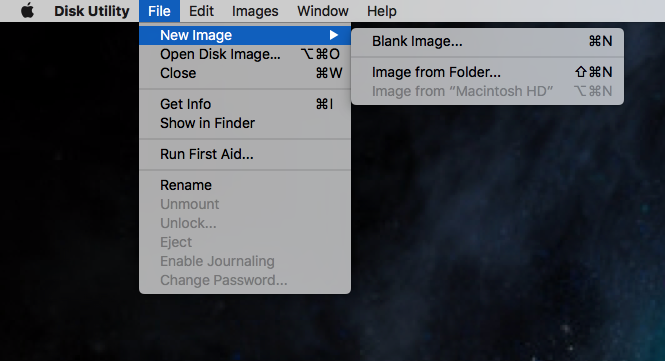
We are just a week away from the release of OS X 10.11 El Capitan. For those that still use a DVD drive and have need to burn DVD’s. Here is a quick tip to keep you working. The new Disk Utility Application is no longer a way to burn a DVD.
First Insert the DVD you want to make a copy of and open the New Disk Utility Program and choose File / New Image / Image From .
Place the image file on your desktop or wherever you would like to save the file.
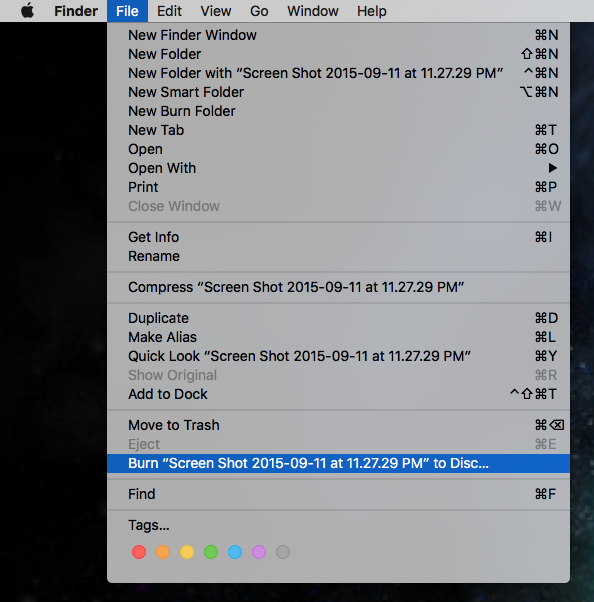
Next Single Click the Disk Image Go to Finder and choose File Burn disk Image “Name of the DMG file.dmg”
Insert a blank DVD and click Burn.
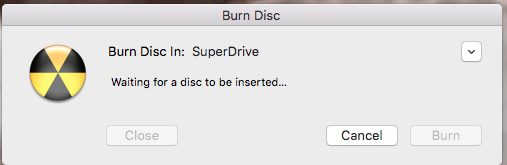
You will then be able to burn disks again.
No responses yet